Templates
TypesDiagram types
Text to Flowchart AI
Describe a process in plain English. Get a diagram. Export SVG or PNG.
Try one of these — click to open in the generator
A user signup flow: enter email + password, send verification email, user clicks link, mark account active, redirect to dashboard.
Try it →Checkout flow: cart review, address entry, payment method selection, charge card, on failure retry up to 3 times then show error, on success show order confirmation.
Try it →A CI/CD pipeline: developer pushes to main, run unit tests, if pass then build docker image, push to registry, deploy to staging, run smoke tests, on success promote to production.
Try it →Password reset: user enters email, backend generates one-time token, email sent, user opens link, enters new password twice, backend validates match and strength, updates password, redirects to login.
Try it →When to use Text to Flowchart AI
Process & pipeline design
Onboarding flows, deploy pipelines, order fulfillment — anywhere you need to draw a step-by-step happy path plus every branch that can fail or loop back.
Decision trees & branching logic
When a spec has more than one 'if/then/else' at the top level, a flowchart shows the shape faster than prose. Product managers grok it, engineers ship it.
Bug tracing & incident postmortems
Trace the exact code path that hit the exception. A flowchart of 'what happened' beats a wall of console logs when the on-call reviewer just landed.
Runbooks & onboarding docs
New hires need to know 'when X breaks, do Y next'. A flowchart in the README makes tribal knowledge legible without a 45-minute Zoom call.
Algorithm sketches
Retry logic with exponential backoff, rate-limit token buckets, state machines drawn as flow — anywhere the code is easier to review as a diagram than as commented pseudocode.
Building a flowchart in chat mode, from one vague sentence
A one-line prompt gets you a diagram, but rarely the diagram you meant — the model has to guess at every branch you left unsaid. Chat mode asks about the one branch that changes the shape of the flow, drafts the rest, and then tells you what it guessed. Here is a real refund-approval flow, built from a deliberately vague opening line.
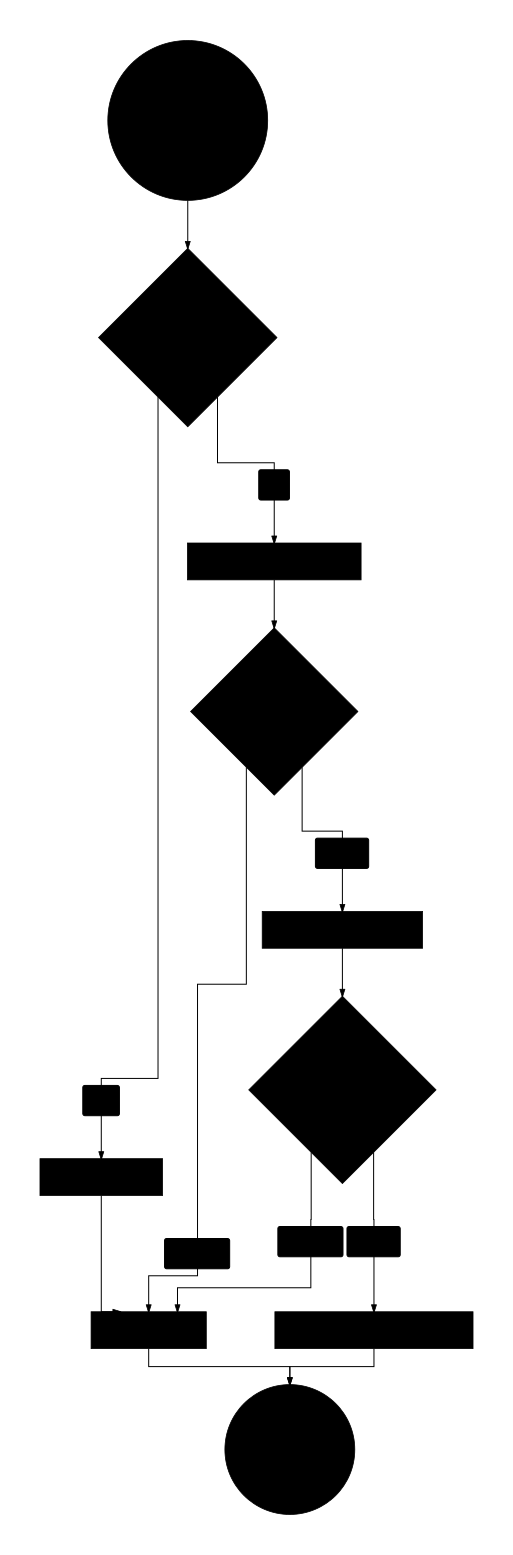
- Set the auto-approval threshold at $50 — anything above goes to a human
- Labelled the threshold branches "Yes" and "No"
- Added a "Notify customer of rejection" step before closing the case
- Ended both paths at a single "Case closed" node
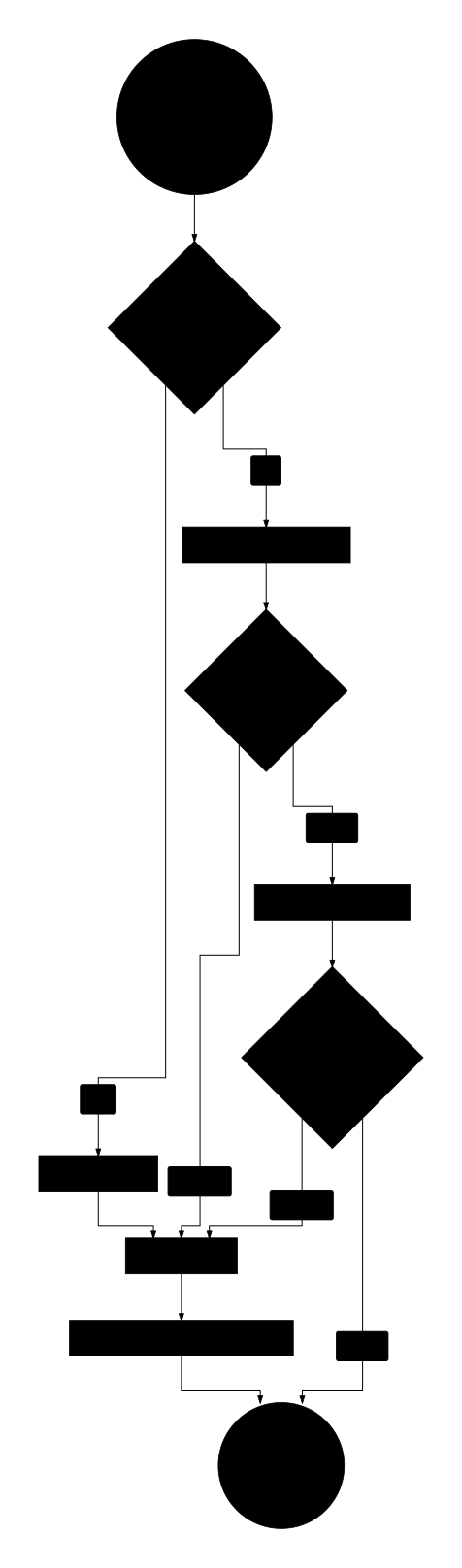
Four messages produced a flowchart with a threshold branch, a two-level escalation path, and a reconciliation step — none of which were in the opening line. The same prompt sent one-shot would have invented a single approver and no escalation at all, and you would have had to spot the omission yourself.
Deep dive
Flowcharts are the workhorse of process documentation. Reach for them when you need to explain how a system behaves step by step — with decision points, loops, and branching outcomes. They shine for user flows (signup, checkout, password reset), backend pipelines (CI/CD, order fulfillment, background jobs), and incident-response runbooks where an engineer needs to trace "what happens next" at a glance.
Compared to a diagram drawn in Figma or draw.io, a Mermaid flowchart lives in plain text — it version-controls with the rest of your codebase, renders inline in GitHub READMEs and Notion pages, and stays in sync with the code because updating it is a one-line edit rather than a click-and-drag exercise.
Where flowcharts start to break down: highly parallel systems (use a sequence diagram to show message ordering across actors), or state-heavy objects where you care about legal transitions rather than sequential steps (state diagrams are cleaner). If your "flowchart" has more than about 30 nodes, split it into two — readers get lost past that point.
Ready to try it yourself?
Frequently asked questions
How does text to flowchart AI work?
You type a prompt in plain English describing a process — for example, 'user signup with email verification' — and the AI generates a Mermaid flowchart with the correct nodes, decision diamonds, and edge labels. Behind the scenes we route your prompt through an LLM tuned for structural clarity; the model outputs valid Mermaid source, and the browser renders it live. No syntax to learn, no drawing tool to open.What kinds of processes can I turn into a flowchart?
Anything with steps and decision points. Popular categories: user flows (signup, checkout, password reset, KYC), CI/CD pipelines (build, test, deploy, rollback), incident response runbooks, order fulfillment, background job orchestration, and algorithm sketches (retry with exponential backoff, rate limiter, state transitions). If you can describe it as 'first this happens, then either this or that, then this loops back' — it fits.Can I edit the flowchart after it's generated?
Yes. Open the split view in the generator and the Mermaid source appears next to the rendered preview. Every keystroke re-renders the diagram in the canvas beside the editor. You can add nodes, change edge labels, tweak layout direction (top-down vs left-right), or restyle nodes as stadiums, cylinders, or diamonds. If you'd rather regenerate from a modified prompt, that also works — just add a sentence and rerun.How do I export the flowchart to my docs or slides?
SVG for lossless scaling into design docs, PDFs, and print. PNG for slides, Notion pages, and Slack. The export buttons live in the preview status bar. SVG is preferred whenever the target renderer supports it — the diagram stays crisp at any zoom level and the text remains selectable and searchable, which SEO and accessibility tools appreciate.Is the text to flowchart AI free? Any usage limits?
Yes, free. No signup, no watermark, no credit card. There is a generous per-IP daily rate limit to keep API costs sustainable; normal drafting activity will not hit it. If you do hit the limit, the UI displays the reset time. The rate limit is enforced with Upstash Redis and is consistent across all Vercel edge regions, so you cannot bypass it by reloading from a different device on the same IP.Does the AI support Chinese prompts, or is it English only?
Both. The generator detects the UI locale and passes it through to the LLM directive, so a Chinese prompt returns a Chinese-labeled flowchart. Mixed Chinese and English prompts also work — the AI picks the dominant language and labels the diagram consistently. If you prefer a specific language for labels, add 'reply in <language>' to the end of your prompt.
Prefer a conversation?
Not sure how to phrase your prompt? Chat mode lets AI ask 2-3 clarifying questions about actors, events, and edge cases — then draws.
Want to draw better diagrams?
Read our in-depth tutorials — symbols, structures, 9 rules, and copy-paste prompt templates for real-world flows.
Related tools
Describe a state machine. Get a Mermaid state diagram with transitions.
Turn an API description into a sequence diagram with actors and arrows.
Describe project phases and dependencies. Get a Mermaid Gantt chart.
Describe a topic hierarchy. Get a Mermaid mindmap with nested branches.